Portable Power Station Size Calculator
My power plan
Inputs
5 sectionsEquipment library
Choose a preset or add your own equipment.
Example watts — edit to match your equipment.
64 matching items · All presets use AC input initially.
Selected equipment
No equipment added.
Setup
Planning window
Leave equipment usage blank to use the full window. For a brief session, enter its duration in hours.
Assumptions
10% reserve · 85% AC efficiency · 10% extra capacity margin
Edit charge window and losses
These defaults are editable assumptions. Reserve defines the lower charge limit; no second depth-of-discharge reduction is applied.
Check a station
Optional: enter one power station's published ratings to compare them with the calculated minimums.
Use the exact model's specification sheet. Missing output ratings remain not confirmed; voltage, ports and surge duration still need separate verification.
Choose power-station capacity and output from a load list
Turn appliance watts and usage time into nominal battery watt-hours, then check continuous and startup demand.
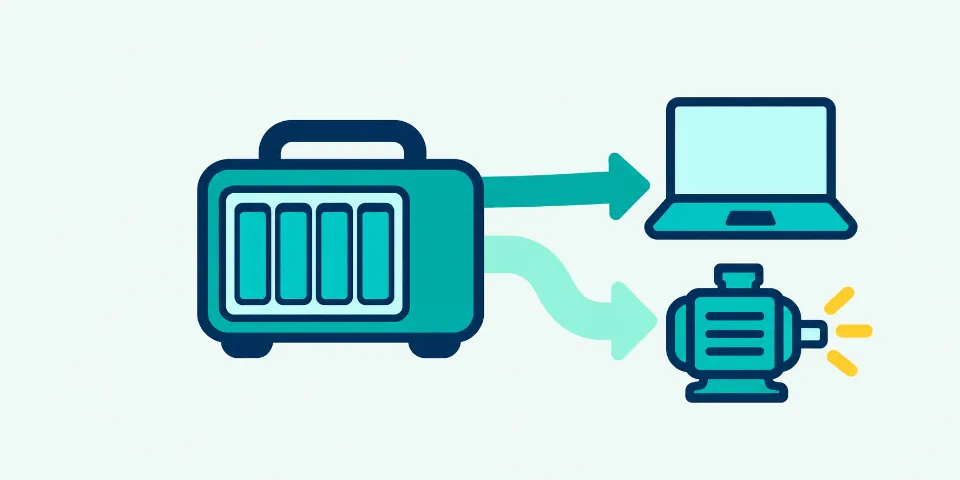
Use this view for questions such as “what size power station do I need?” Capacity and output are calculated separately: watt-hours cover energy over time, while watts describe the load the station must supply at once.
Turn the result into a minimum specification
Use the capacity result and the two output results as separate filters. A station being checked should clear every relevant requirement with specifications that use the same units and operating conditions.
- Capacity drives the choice
- Compare nominal watt-hours with the reported capacity target, which already includes the entered reserve, retention, losses and margin.
- Continuous watts drive the choice
- Use the AC continuous result for equipment that may overlap. Do not substitute the station peak or surge number.
- Startup watts are unknown
- Collect a manufacturer peak value or a suitable measurement for motors and compressors before choosing the inverter rating.
Before comparing stations
- Separate devices with different watts or schedules into their own rows.
- Mark loads that cannot overlap only when the operating plan enforces it.
- Check port-level power, voltage, frequency and connector compatibility.
- Keep the calculation assumptions beside the product specifications.
Method, formulas and verification
Understand the calculation path, the strongest inputs and the limits to verify.
- Equipment
Running, standby and startup watts
- Schedule
Quantity, hours and duty cycle
- Battery path
Conversion losses and usable window
- Minimum specification
Nominal Wh, continuous W and startup W
Start from energy use, not a battery label
List each appliance, its input watts, quantity and hours of use. The calculator totals equipment energy, accounts for AC or DC conversion and station overhead, then adjusts for retained capacity and the charge range you are willing to use. The result is a nominal capacity requirement that can be compared with station labels.
Use the right watts for each device
A measured representative input is usually more useful than a generic preset. Keep different variants on separate rows: a 45 W laptop and a 65 W laptop should not be merged. For cycling equipment, enter running watts, duty cycle and off-cycle watts, or use a measured average with a full duty cycle.
Check output after sizing energy
Add the running demand of equipment that may overlap. Enter startup watts for motors, compressors or other loads with a known peak. A station with sufficient watt-hours may still have inadequate continuous output, startup capability, port power, voltage or connector support.
Equipment watt-hours
Average input W × units × hoursAverage input includes the entered duty and off-cycle power.
Battery-side energy
AC Wh ÷ AC efficiency + DC Wh ÷ DC efficiency + overheadOverhead runs for the selected planning window.
Required nominal capacity
Battery Wh ÷ [retention × (start − reserve)]The optional margin is reported above this base requirement.
What changes the result most?
Change one input at a time and keep the measurement or specification that supports it.
| Input | Effect on the answer | What to verify |
|---|---|---|
| Usage time | Longer operation increases required watt-hours in direct proportion. | Use the actual planning window for each device. |
| Duty and standby power | Changes average energy for cycling appliances. | Measure a full representative cycle when possible. |
| Overlapping loads | Sets the continuous output requirement. | List equipment that may operate at the same time. |
| Startup watts | May set the inverter requirement even for a short event. | Use manufacturer data or an appropriate peak measurement. |
Common terminology
- Battery capacity
- stored energy, watt-hours, Wh
- Continuous output
- rated watts, running watts
- Startup output
- surge capacity, peak output
- Sizing margin
- capacity buffer, planning margin
Common mistakes
- Adding watts and watt-hoursWatts describe simultaneous power; watt-hours describe energy over time.
- Applying losses twiceThe capacity result already includes the entered efficiency, reserve, retention and margin.
- Ignoring short high-power loadsA brief kettle or motor may use little energy while still setting the inverter requirement.
Replace preset watts before sizing a purchase
Begin with the equipment catalogue or a custom row, then verify the input power of the actual devices. A preset is an illustrative starting point rather than a product specification, and a charger label may show maximum output instead of typical wall demand. Measure changing loads over a representative period or use the applicable nameplate value with its operating conditions.
Translate the timed schedule into battery capacity
Each row contributes average watts multiplied by quantity and usage hours. AC and DC conversion losses and station overhead turn that equipment energy into battery-side energy. The usable charge window and retained capacity then determine the nominal watt-hour label to compare. Do not add watts to watt-hours or apply the displayed losses a second time.
Define the usable battery window once
Starting charge and reserve set how much of the retained nominal capacity the schedule may consume. Capacity retention represents ageing or reduced available capacity relative to the original label. Enter nominal battery energy here, not an already measured AC-output energy value, because applying reserve and conversion losses to that measured value would count some reductions twice.
Size cycling equipment from representative operation
Running watts apply during the entered duty fraction and off-cycle watts apply during the remainder of the row’s usage time. A measured time-average normally belongs at 100% duty. This keeps a refrigerator or pump energy estimate separate from its startup requirement, which may be brief but can still determine the inverter size.
Check continuous and startup watts after watt-hours
Continuous output reflects equipment that may operate together. Startup output considers the largest entered row-start event with other overlapping loads already running; it does not assume every motor starts at once. Unknown AC startup data stays unresolved. Product selection must also verify surge duration, voltage, frequency, port limits, connectors and protection behaviour.
Use losses and sizing margin for different purposes
Editable AC and DC efficiencies describe conversion from the battery to the selected output paths, while overhead represents battery-side station consumption during the planning window. Margin adds capacity for uncertainty or future use after the base requirement is calculated; it does not increase equipment consumption. Leave overhead at zero when an end-to-end measurement already includes it.
Common power-station sizing examples
Compare office, household and high-startup load patterns using the same sizing method.
From a timed load list to capacity and output targets
The examples show why equipment energy, nominal battery capacity, continuous output and startup output must remain visible as separate results. Short high-power use can require less energy than a long low-power session while demanding a much larger inverter.
FULL WORKED CALCULATION
Refrigerator backup day
A 120 W refrigerator runs for 24 h at 35% duty with 5 W off-cycle power and a known 600 W startup input.
- 1Equipment energy
- 2Battery-side energy after losses
- 3Base nominal capacity
- 4Capacity with margin
- 5Continuous AC output
- 6Startup AC output
A cycling refrigerator can require substantial startup output while consuming energy only during part of the day. This is why the battery-capacity target and inverter-output target must be read separately.
Measure representative running and off-cycle power, obtain compressor startup watts and confirm how long the refrigerator must remain powered.
CALCULATED EXAMPLE 1
Mobile office session
One 65 W laptop for 7 h, one 30 W monitor for 5 h and a 12 W network device for 8 h.
- Equipment energy
- 701 Wh
- Capacity with margin
- 1,053.79 Wh
- Continuous AC output
- 107 W
- Startup AC output
- 107 W
The nominal capacity target includes the entered charge reserve, conversion efficiency and planning margin.
CALCULATED EXAMPLE 2
Evening household loads
Two 9 W lamps for 5 h, an 80 W television for 3 h and a 12 W router for 6 h.
- Equipment energy
- 402 Wh
- Capacity with margin
- 622.29 Wh
- Continuous AC output
- 110 W
- Startup AC output
- 110 W
Quantity is used only for the identical lamps; the other devices keep their own schedules.
CALCULATED EXAMPLE 3
Intermittent workshop session
A 600 W tool for 45 minutes and a 20 W task light for 4 h, with a known 1,200 W tool startup input.
- Equipment energy
- 530 Wh
- Capacity with margin
- 785.19 Wh
- Continuous AC output
- 620 W
- Startup AC output
- 1,220 W
The capacity result covers scheduled energy; the separate startup result exposes the short high-power requirement.
More common calculations
Calculated by the same engine as the tool.
| Scenario | Entered plan | Calculated answer |
|---|---|---|
| CPAP plus humidifier overnight | A measured 65 W combined CPAP and humidifier input operates for 8 h with a 20% battery reserve. | Equipment energy: 520 Wh · Capacity with margin: 886.36 Wh · Continuous AC output: 65 W · Startup AC output: 65 W |
| Satellite-connected workday | A 75 W satellite terminal for 8 h and a 65 W laptop for 6 h, with both devices able to overlap. | Equipment energy: 990 Wh · Capacity with margin: 1,522.06 Wh · Continuous AC output: 140 W · Startup AC output: 140 W |
Calculated reference table
Each row uses 85% AC efficiency, a 100–10% battery window, 100% retained capacity and a 10% sizing margin.
| Scenario | Inputs | Engine result |
|---|---|---|
| 50 W for 4 hours | 50 W AC load; 4 h planning window | Capacity: 287.58 WhOutput: 50 W |
| 100 W for 8 hours | 100 W AC load; 8 h planning window | Capacity: 1,150.33 WhOutput: 100 W |
| 300 W for 4 hours | 300 W AC load; 4 h planning window | Capacity: 1,725.49 WhOutput: 300 W |
| 500 W for 2 hours | 500 W AC load; 2 h planning window | Capacity: 1,437.91 WhOutput: 500 W |
Illustrative wattages are provided to explain the method. Use measured input or manufacturer data for the equipment being planned.
Power-station sizing questions
Clarify watt-hours, inverter watts, quantities and the meaning of the calculated target.
How many watt-hours should my power station have?
Use the calculated nominal capacity with margin as the comparison point. It already reflects the schedule, entered losses, retained capacity and usable charge range. Do not apply the same reserve or efficiency again when comparing the result.
What size power station do I need for eight hours?
Add the average watts of each load, multiply each by its own hours and adjust the total for conversion losses and the usable battery window. The required watt-hours depend on the equipment schedule, while inverter watts depend on what operates together.
What is the difference between watts and watt-hours?
Watts measure power at a moment and determine output requirements. Watt-hours measure energy over time and determine battery capacity. A complete station choice must satisfy both values.
How do I size a power station for a refrigerator?
Use representative running power, off-cycle power, duty cycle and operating hours for energy. Enter startup watts separately because the compressor can set the inverter requirement even when its daily energy is modest.
How much surge power should a station have?
Compare the calculated startup demand with the manufacturer’s surge specification and allowed surge duration. When startup data is missing, the result remains unknown instead of inventing a multiplier.
Should identical equipment use quantity or separate rows?
Use quantity when the units truly share watts, hours, duty, standby and startup behavior. Use separate rows for different models, settings or schedules, even when the equipment names match.
Does a higher inverter rating increase runtime?
An inverter rating describes output capability, not stored energy. Runtime changes with available battery energy, load power and conversion losses. A higher rating alone does not add watt-hours.
How much extra battery margin should I add?
Use margin for uncertainty or future capacity rather than applying losses twice. Keep the chosen percentage visible and test a second scenario when load measurements, battery condition or trip duration remain uncertain.
How we validate this calculator
Power Planning Model v1 · 48 saved checks · reviewed 14 September 2026.
MODEL CHECK
A result you can reproduce
We run 48 saved examples, edge cases and combined checks before release. Each modeled relationship is mapped to an official primary source and at least one saved scenario. When we compare a published example, we first use the same inputs and assumptions.
- Status
- Desk-validated
- Saved cases
- 48
- Property checks
- 10,000
- Reference oracle
- Independent exact arithmetic
Power × time identity
With losses, reserve and margin neutralized, the model must reduce to the published physical relation between power, time and energy.
- Inputs used
- 100 W for 5 h; 100% efficiency; no reserve; no margin.
- Expected result
- 500 Wh equipment energy and 500 Wh nominal capacity.
U.S. Department of Energy — power and energy reference · NREL Energy Basics — dimensional reference
Inverse runtime check
The sizing engine is checked as the algebraic inverse of a published runtime method under the same assumptions.
- Inputs used
- 100 W for 8 h; 80% AC efficiency; no reserve; no margin.
- Expected result
- 1,000 Wh minimum nominal capacity.
Desk-validated means the documented arithmetic, exact boundaries and model invariants reproduce the stated results. It does not certify a product or predict weather, battery condition or field performance.
Sources and model limits
References used by this page, what is calculated and what still needs a specification or measurement.
Reviewed 14 September 2026. These references support the terminology and methods. Equipment presets and default efficiency values are examples, not facts about every product.
Technical references
- NREL Energy Basics — power and energy dimensions
Pages 3, 4 and 11 state E = P × t, P = E ÷ t and electrical P = V × I. This validates dimensions, not equipment performance.
- US Department of Energy — Energy Efficiency in the Home
Background on appliance electricity use. Historical educational material, not a current equipment catalogue.
- Victron — Inverter technical specifications
Shows why efficiency, idle demand, temperature and surge duration are separate specifications. Its product values are not universal defaults.
- Jackery — Watt-hour and battery ratings
Reference for energy units and the nominal-voltage requirement when starting from amp-hours. No product recommendation.
Included in this result
- Equipment watts, quantity, usage time and duty cycle
- Battery reserve, retention, conversion losses and extra margin
- Continuous and one-row-at-a-time startup demand
Not modelled
This sizing model does not simulate an hourly load schedule, battery temperature or chemistry curves, startup duration, apparent power, inverter derating or individual port limits. It produces capacity and output requirements; verify voltage, frequency, connectors and rated operating conditions against the actual products.